Visual Talker

Simple AAC that learns how you talk.

Tap once to say what you always say. Build something new from your own words. Every sentence you speak teaches Visual Talker what comes next.

Download on the App StoreRead the manual

For iPhone and iPad, with Mac coming in the same purchase. No account needed: your words stay on your device and it works offline.

Tap words, then Speak.
Your sentences
Your words

See it in the app

The same few screens every day: build a sentence, say it, and find it again next time.

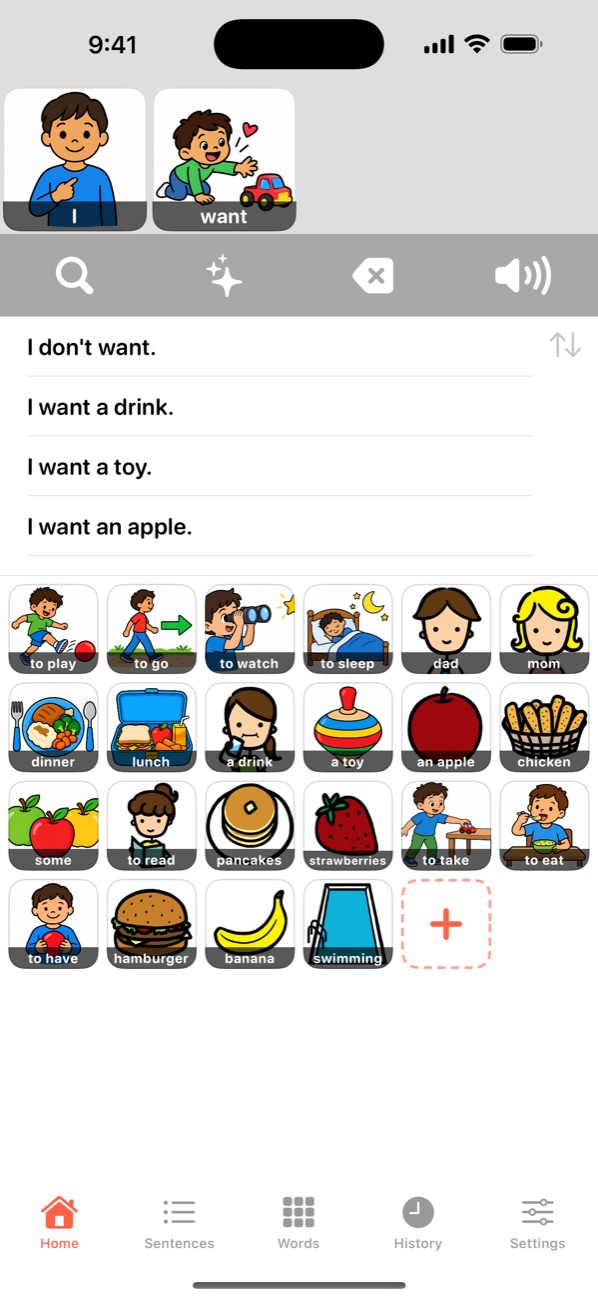
Home: the strip shows I want, with suggested sentences and the words that usually come next
Build a sentenceThe words you usually say next come first.
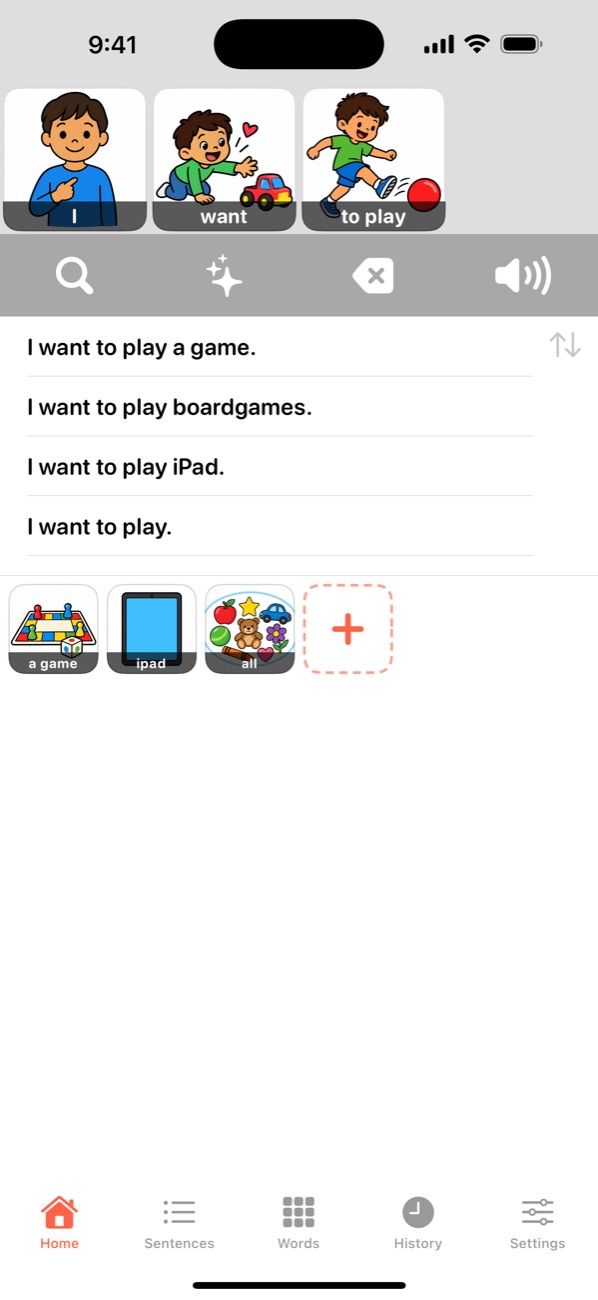
Home with I want to play on the strip and matching saved sentences
Finish it in one tapSentences you've said before appear as you build.
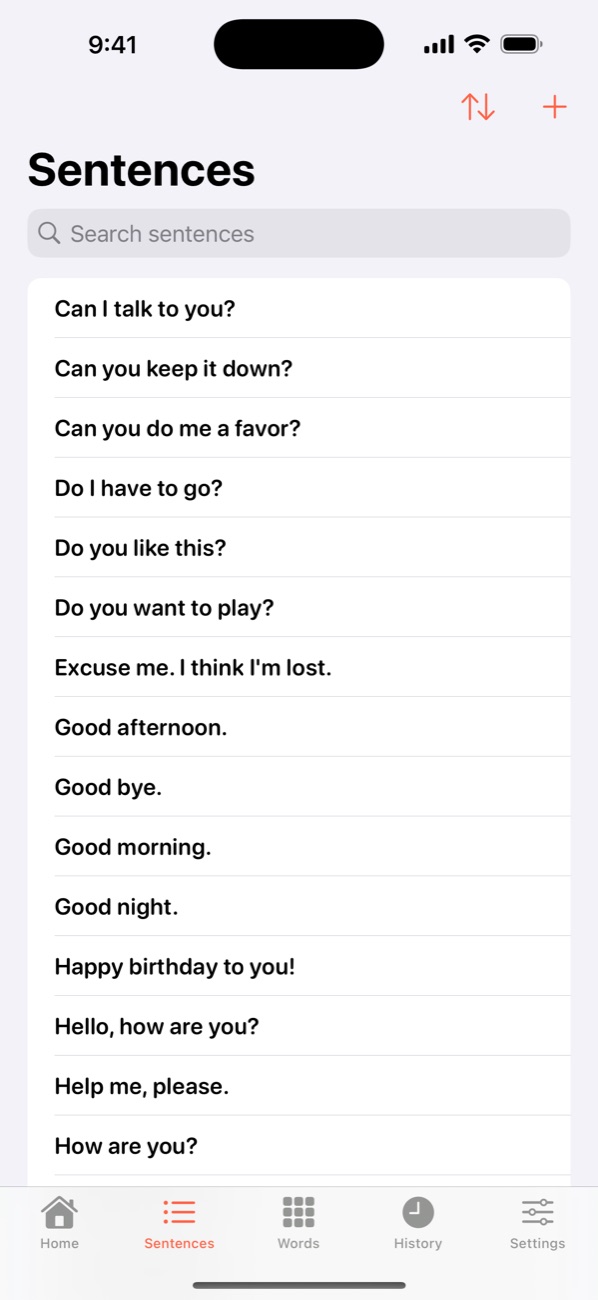
Sentences: everyday sentences in a searchable list
Your sentencesEveryday phrases, ready to say.
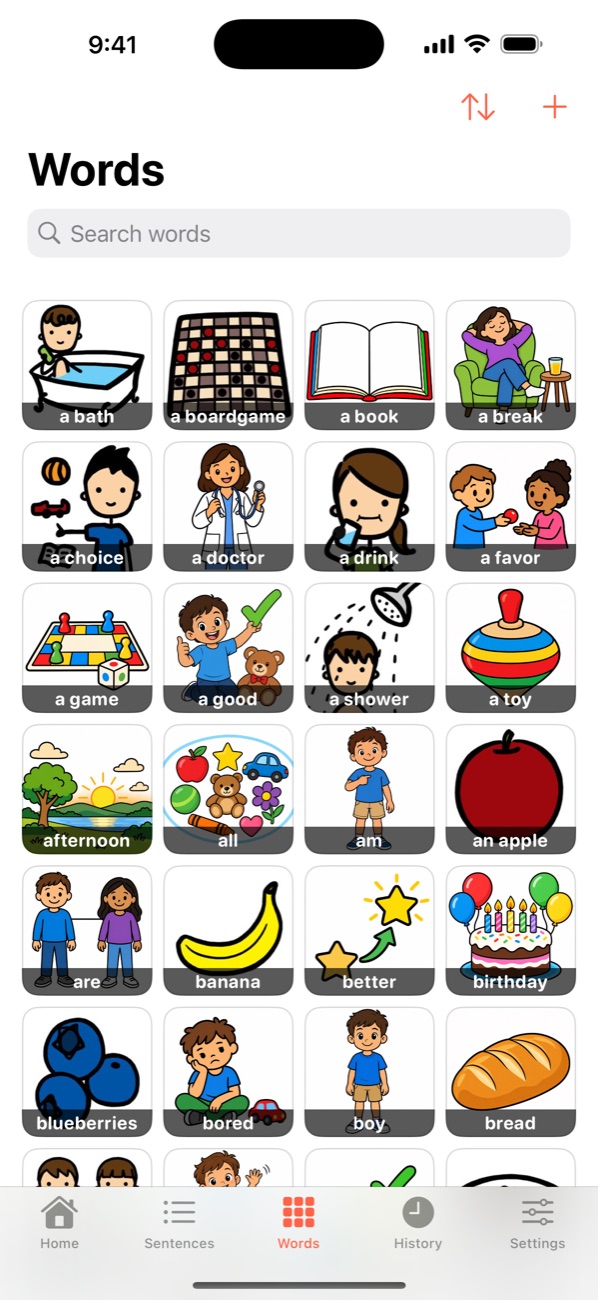
Words: a grid of word tiles with pictures
Your wordsTap to hear a word; touch and hold to edit it.
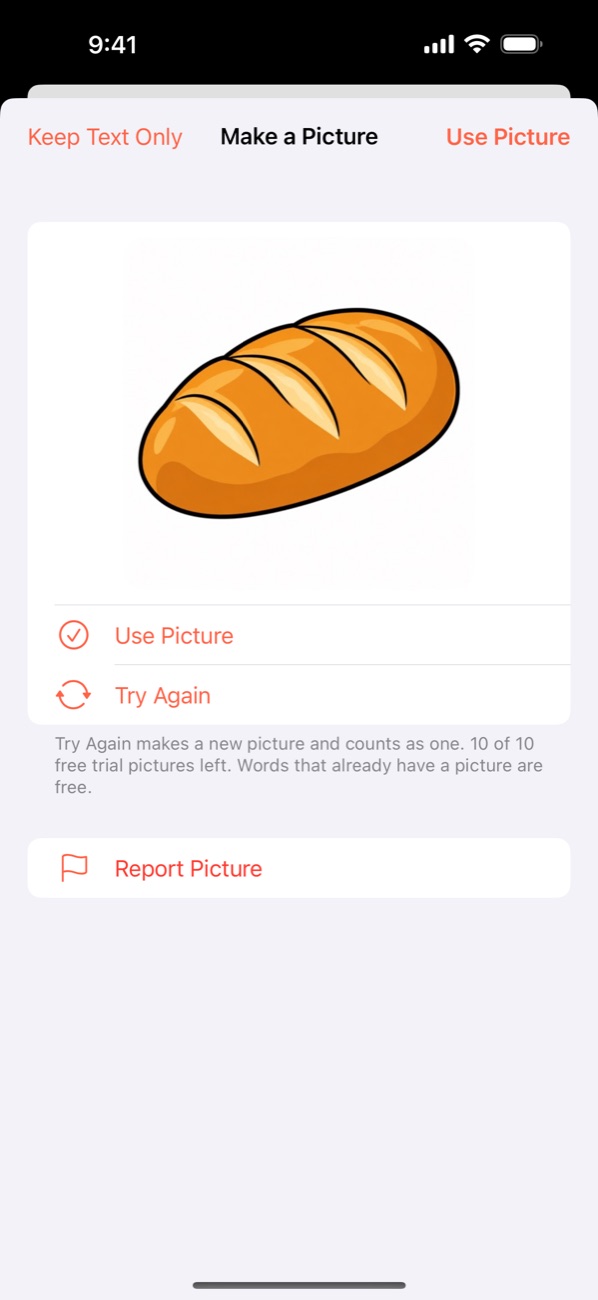
Make a Picture showing a picture of bread with Use Picture and Try Again
A picture for any wordMake a Picture, with Visual Talker Plus.

Your words, ready when you need them

Many communication systems ask someone to build pages before the first conversation. Visual Talker starts from the words and sentences you already use, with almost no setup.

1

Learns how you talk

Every sentence you speak teaches its words and the order they come in, so the words you need next are first.

2

Say it again in one tap

Saved sentences become voice tiles. Tap one and it's spoken; start one and it appears, ready to finish.

3

Your own voice

Record your voice, or a family member's, for any word or sentence. Without a recording, the device voice speaks.

4

Pictures for words

126 starter words with pictures in one friendly style. Add your own photos, or make a picture for a new word.

5

Nine voices and accents

English (US, Canada, Australia, UK), German, French, Korean, Mexican Spanish, and Russian, or your device's language.

6

A companion, not a replacement

Use it on its own, or next to a full AAC system for the routine phrases that should take one tap.

How it works

It starts with 126 words and 87 everyday sentences, and grows with every sentence you speak.

  1. Tap words to build a sentenceThey line up on the strip at the top. The words you usually use next move to the front.
  2. Speak itEach word lights up as it's spoken, and a new sentence is saved for next time.
  3. Say it again in one tapStart a sentence and the ones you've said before appear. Everything you've said is in History.
  4. Make it yoursAdd words and sentences, pictures, and recordings. Type a quick word for anything that isn't on a tile yet.
Every screen and setting, step by step, in the manual →

Visual Talker Plus, when you want more

An optional subscription. Everything above works without it, offline, with no account.

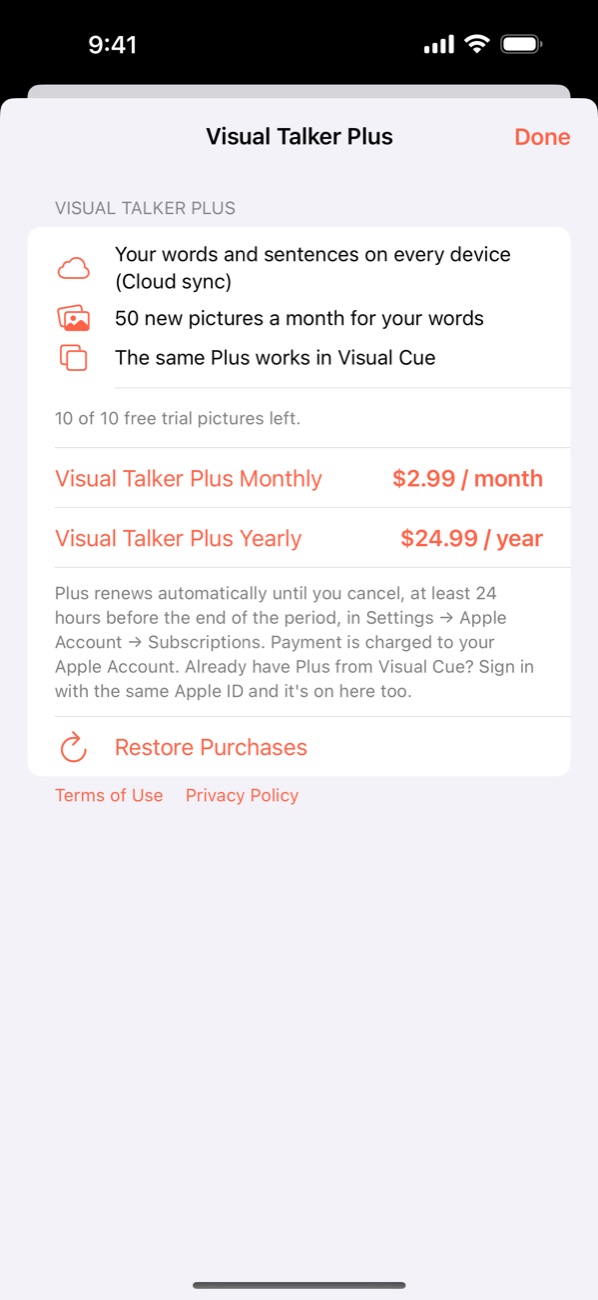
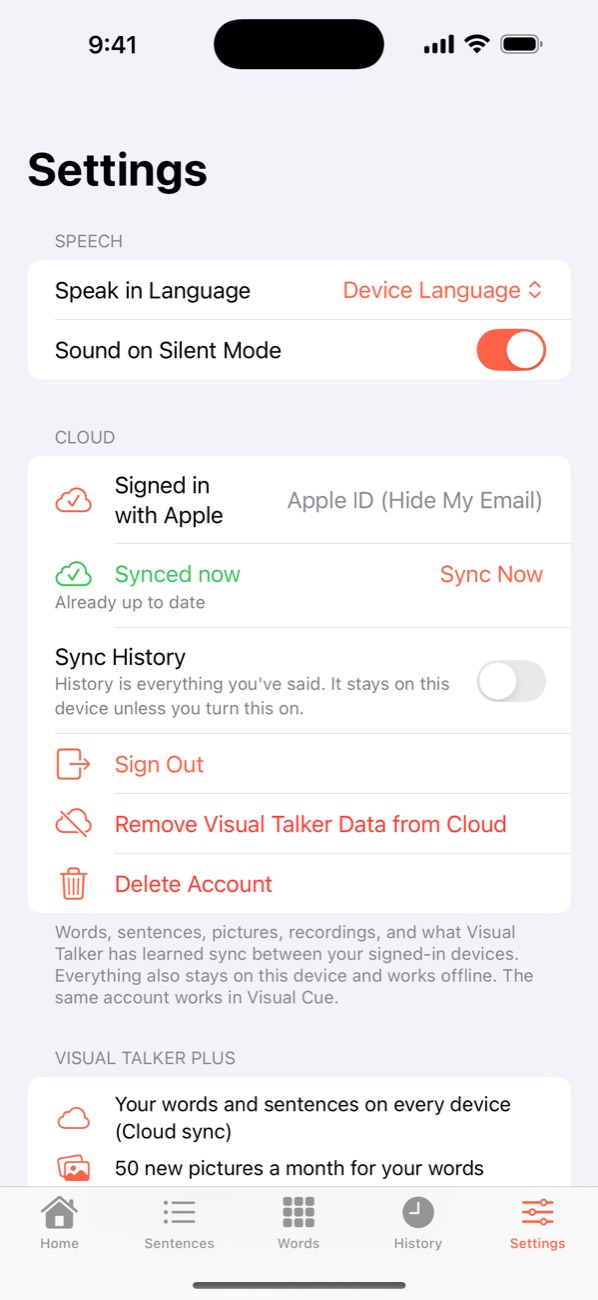
  • Cloud syncYour words, sentences, pictures, recordings, and what Visual Talker has learned, the same on your iPhone and iPad, and on Mac when it arrives.
  • 50 new pictures a monthMake a Picture draws a clear, friendly picture for any word, in the same style as the starter pictures. A picture someone already made for that word is free.
  • The same Plus in Visual CueOne subscription works in Visual Talker and in Visual Cue, our visual schedule app, with the same Sign in with Apple.
  • 10 free pictures to trySign in with Apple to try Make a Picture before you subscribe. Family Sharing is on.

Monthly or yearly, renewing until you cancel in Settings → Apple Account → Subscriptions. Terms of Use

The Visual Talker Plus screen with monthly and yearly options Settings with Cloud signed in and Synced now

Who it's for

People who speak, read, gesture, or think in routine phrases, and the families, teachers, and therapists who support them.

For speech-language pathologists and teachers: Visual Talker is a low-setup companion for routine phrases. History shows what a person actually says, and the layout stays steady, so motor patterns hold. It doesn't replace a comprehensive AAC system or a dedicated device.

iPhone and iPad, one purchase

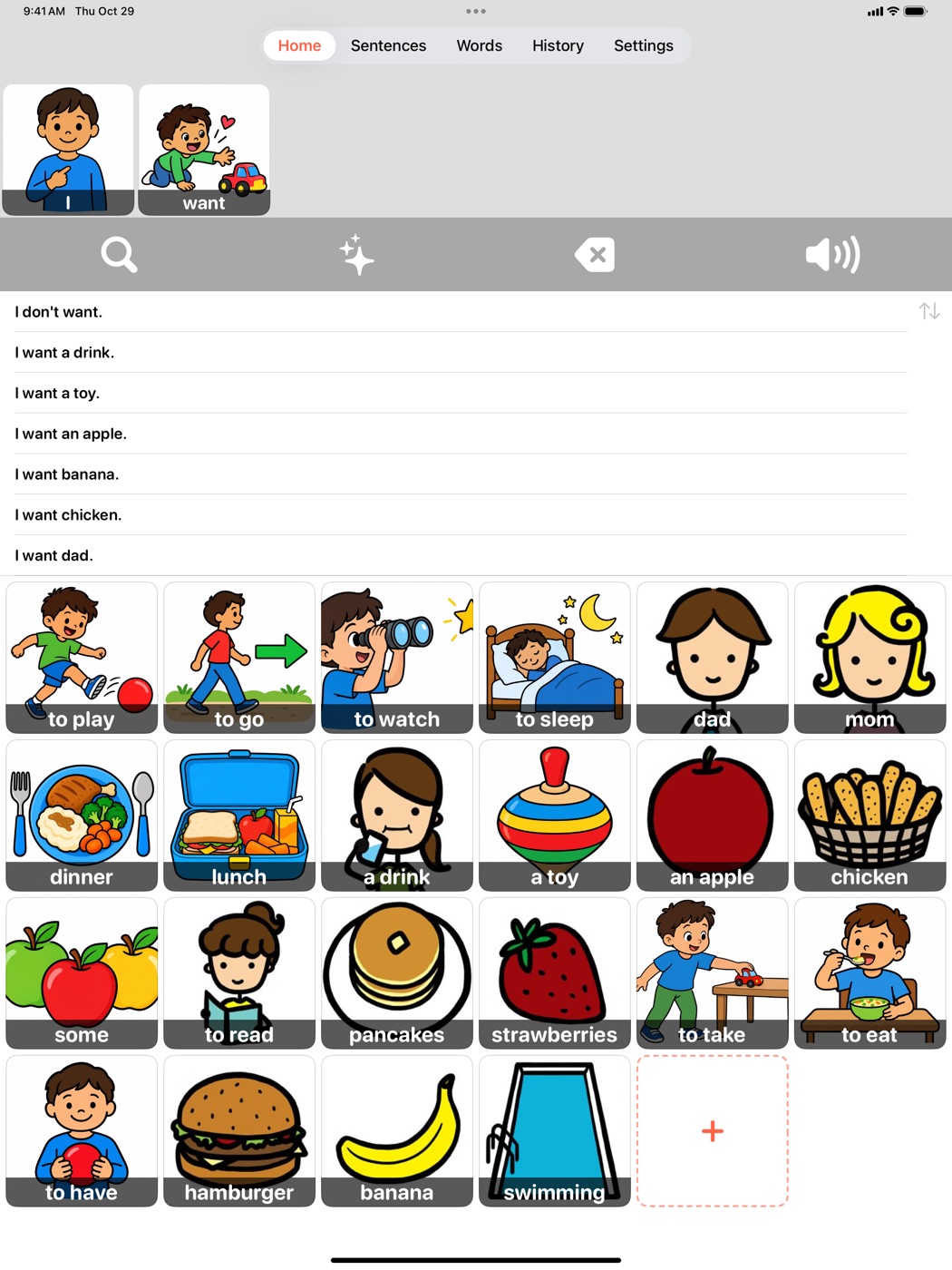
Buy Visual Talker once and use it on both. On iPad the tiles grow with the screen. The Mac version is coming, and it will be included in the same purchase.

Moving from the previous Visual Talker? Open Settings → Import Old Data the first time. Your old words and sentences come across, and the original is only read, never changed.

Visual Talker on iPad: the strip, sentences, and a large grid of word tiles

Private by design

No account needed, no ads, no tracking, and it works offline. Your words, sentences, and recordings stay on your device.

Privacy policy